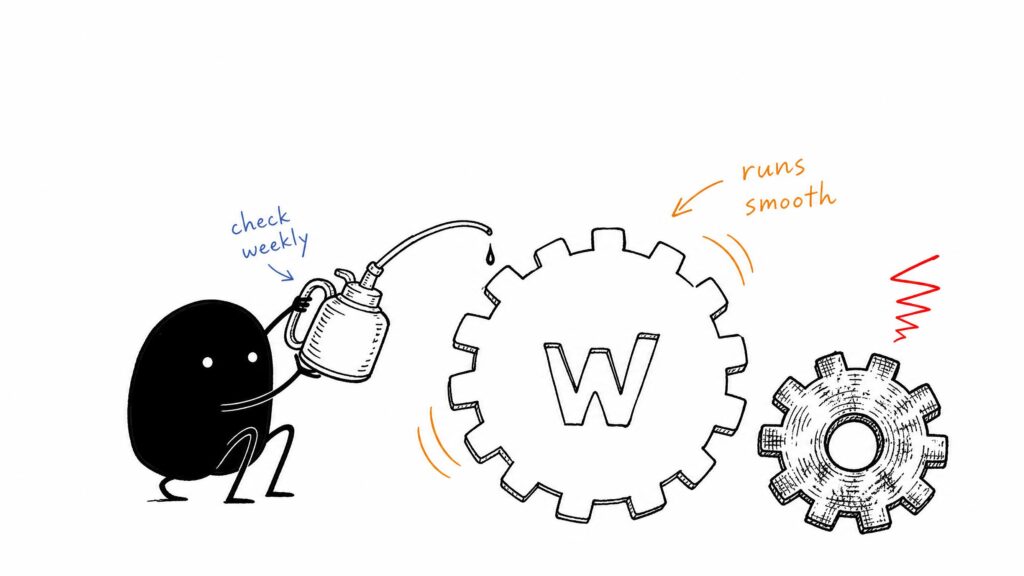
WordPress powers a huge share of small business websites, including a lot of the ones we build, because it is flexible, well-supported, and does not lock you into one vendor. The tradeoff is that it needs regular upkeep. A WordPress site is closer to a car than a piece of furniture: mostly fine on its own, but it needs someone checking the oil, or it eventually breaks down at the worst possible time.
This checklist covers what actually needs attention, split into weekly, monthly, and quarterly tasks, so maintenance stays manageable instead of becoming a once-a-year emergency.
Why WordPress Maintenance Actually Matters
Three things go wrong on neglected WordPress sites, almost without exception: security vulnerabilities from outdated plugins, slow load times from bloated media and unused plugins piling up, and broken functionality after an update changes something nobody tested. Each of these is preventable with a small amount of regular attention, and each becomes expensive and stressful once it turns into an emergency (a hacked site, a site that stops loading, a contact form that silently stopped sending emails three months ago).
Weekly Checklist
Check for plugin and theme updates. Most security vulnerabilities in WordPress come through outdated plugins, not WordPress core itself. A weekly glance at the updates screen catches most of these before they become a problem.
Review recent form submissions. Contact forms and quote request forms fail silently more often than people realize, usually after a plugin update or a hosting change breaks the email delivery. A quick weekly check confirms leads are actually reaching your inbox.
Scan for obvious front-end issues. Load your homepage and one or two other key pages. Broken images, layout shifts, or missing sections are usually easy to spot and easy to fix if caught early.
Monthly Checklist
Run a full backup, and confirm it actually works. Most hosting includes automated backups, but “included” and “verified” are different things. Once a month, confirm a recent backup exists and, ideally, that it can actually be restored.
Review site speed. Page speed tends to degrade gradually as media libraries grow and plugins accumulate, which makes it easy to miss until it becomes a real problem. Our WordPress speed guide covers the specific technical levers (image compression, caching, unused plugin cleanup) worth checking monthly.
Check broken links. Pages get moved, products get discontinued, external sites go offline. A monthly broken-link scan keeps both visitors and Google from hitting dead ends, which matters for both user experience and SEO.
Review user accounts. Remove any WordPress admin accounts that no longer need access, particularly for past employees or contractors. Old, unused admin accounts are a common security gap.
Quarterly Checklist
Update WordPress core carefully, not automatically. Auto-updates for security patches are generally safe, but major version updates can occasionally conflict with plugins or custom code. A quarterly review of what changed and testing on a staging copy first avoids surprises on a live site.
Audit installed plugins. Every plugin is a potential security vulnerability and a potential speed cost. Quarterly is a good cadence to remove anything no longer in active use rather than letting it sit dormant and unpatched.
Review analytics and search performance. Beyond pure maintenance, a quarterly look at what is actually working (which pages get traffic, which forms convert) helps prioritize what gets attention next, rather than treating every page as equally important.
Test the site on current mobile devices and browsers. Browser and device behaviour shifts over time. A quarterly spot-check on a current phone and a couple of browsers catches rendering issues that would otherwise go unnoticed for months.
Signs Your WordPress Site Needs More Than a Checklist
Some issues are beyond a DIY maintenance routine. If your site has been flagged by Google Safe Browsing, if you are seeing unexplained admin accounts or content changes, if load times have crept past 4 to 5 seconds despite basic cleanup, or if you genuinely do not know the last time anything was updated, that is usually the point where bringing in a professional maintenance plan costs less than the risk of doing nothing. Our WordPress Design page covers what an ongoing, professionally managed WordPress relationship actually includes, beyond a one-time build.
Building Maintenance Into a Routine
The businesses that avoid WordPress emergencies are not the ones with the most technical staff, they are the ones who treat this checklist as a recurring calendar reminder rather than something to think about only when something breaks. Fifteen minutes a week and an hour a month prevents the vast majority of the problems that eventually turn into a costly, stressful fix.
Frequently Asked Questions
How often should WordPress plugins be updated?
Check weekly, update promptly for security patches, and test major version updates on a staging site first when possible. Delaying updates for months is the single biggest driver of WordPress security incidents.
Is WordPress maintenance something I can do myself?
Basic maintenance (checking updates, reviewing forms, confirming backups) is manageable for most business owners with a bit of routine. More technical tasks (staging environment testing, core update conflicts, performance optimization) often make more sense to hand off once the site is business-critical.
How do I know if my WordPress site has been hacked?
Warning signs include unexpected redirects, new admin users you did not create, a Google Safe Browsing warning, unusual outbound traffic flagged by hosting, or content changes you did not make. If you suspect a compromise, change all passwords immediately and bring in someone to do a full security review.
What is the single most important maintenance task if I only have time for one?
Confirming backups actually work. Everything else is recoverable with enough time and effort. A site with no working backup facing a serious problem can mean starting over from nothing.
Does WordPress maintenance affect SEO?
Yes, directly. Slow load times, broken pages, and security issues all hurt rankings. Google explicitly factors page experience and site health into how it ranks pages, so maintenance and SEO are more connected than most business owners realize.
Not sure whether your site needs a checkup? Get in touch with our team for a straightforward, no-obligation review.